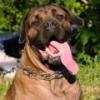
Julenok
Пользователь
-
Зарегистрирован
-
Посещение
-
год и 10 любимое занятие - бегать за палочкой http://forum.academ.org/html/emoticons/cool.gif Заходите к нам, на томский форум, я здесь к сожалению редко могу быть, т.к. вншенего интернета нет. А в Томске практически нет бульмастифов http://forum.academ.org/html/emoticons/cry1.gif http://zverushki.tomsk.ru/forum/viewtopic....174ef1144b4d315

-
улыбающееся чудо http://forum.academ.org/html/emoticons/rolleyes.gif

-
с папой наперегонки http://forum.academ.org/html/emoticons/jok.gif

-
монстра заказывали??? http://forum.academ.org/html/emoticons/grin.gif

-
-
гуляли на закате... поэтому качество соответсвенное http://forum.academ.org/html/emoticons/huh.gif ей год и 9

-
"накидают тут, потом ходи, прибирайся" http://forum.academ.org/html/emoticons/laugh.gif

-
-
хозяйка немца: "кому палочку, налетай, разберай" http://forum.academ.org/html/emoticons/smile.gif

-
-
-
лошадка http://forum.academ.org/html/emoticons/biggrin.gif

-
-
Домоседка, сочувствую вам http://forum.academ.org/html/emoticons/cry2.gif даже не знаю, что сказать http://forum.academ.org/html/emoticons/sad.gif да, моя девочка чуть раздобрела, при чем буквально за последний месяц... как-то резко начала мужать http://forum.academ.org/html/emoticons/huh.gif вот, нам год и 8...

-
расслабились http://forum.academ.org/html/emoticons/laugh.gif